Tutorial Page
How Frontline Esports Network Works
Follow the full FEN journey from player registration to roster management, coaching, and event organisation.
Start as a Player and Grow Through the FEN Ecosystem
Every user begins as a player. From there, you can access your dashboard, create or manage a roster, become a coach, and become a partner to organise scrims and tournaments.
This tutorial gives new users a clear path and a visual guide for each step of the process.
Step-by-Step Tutorial
Each card explains one step, with the screenshot placed at the bottom inside the card.
Create a Player Account
Start by registering as a player. This is the foundation of the FEN journey and gives you access to the platform.
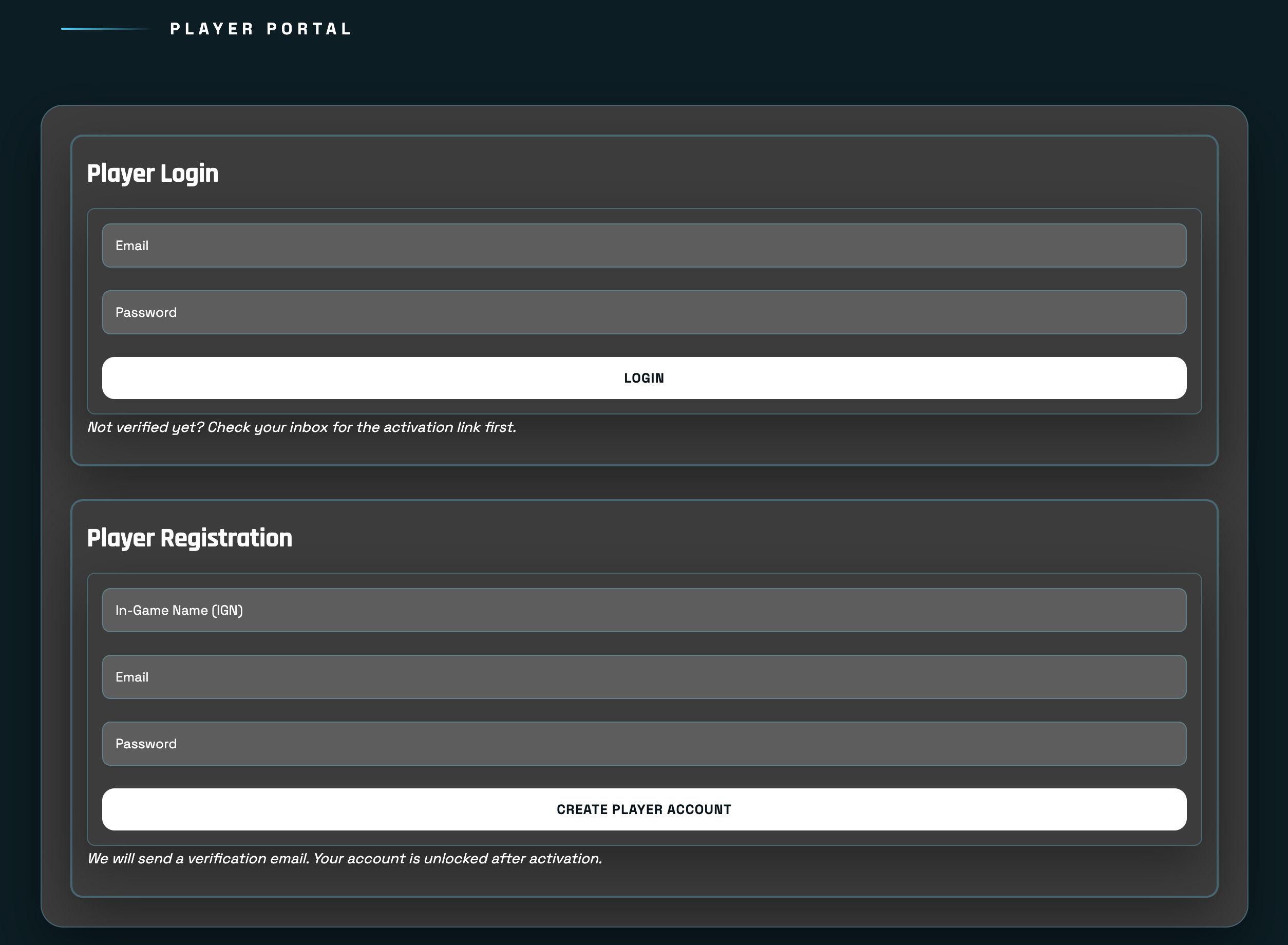
Log In to Your Dashboard
Once your player account is ready, log in to access your dashboard and unlock your management options.
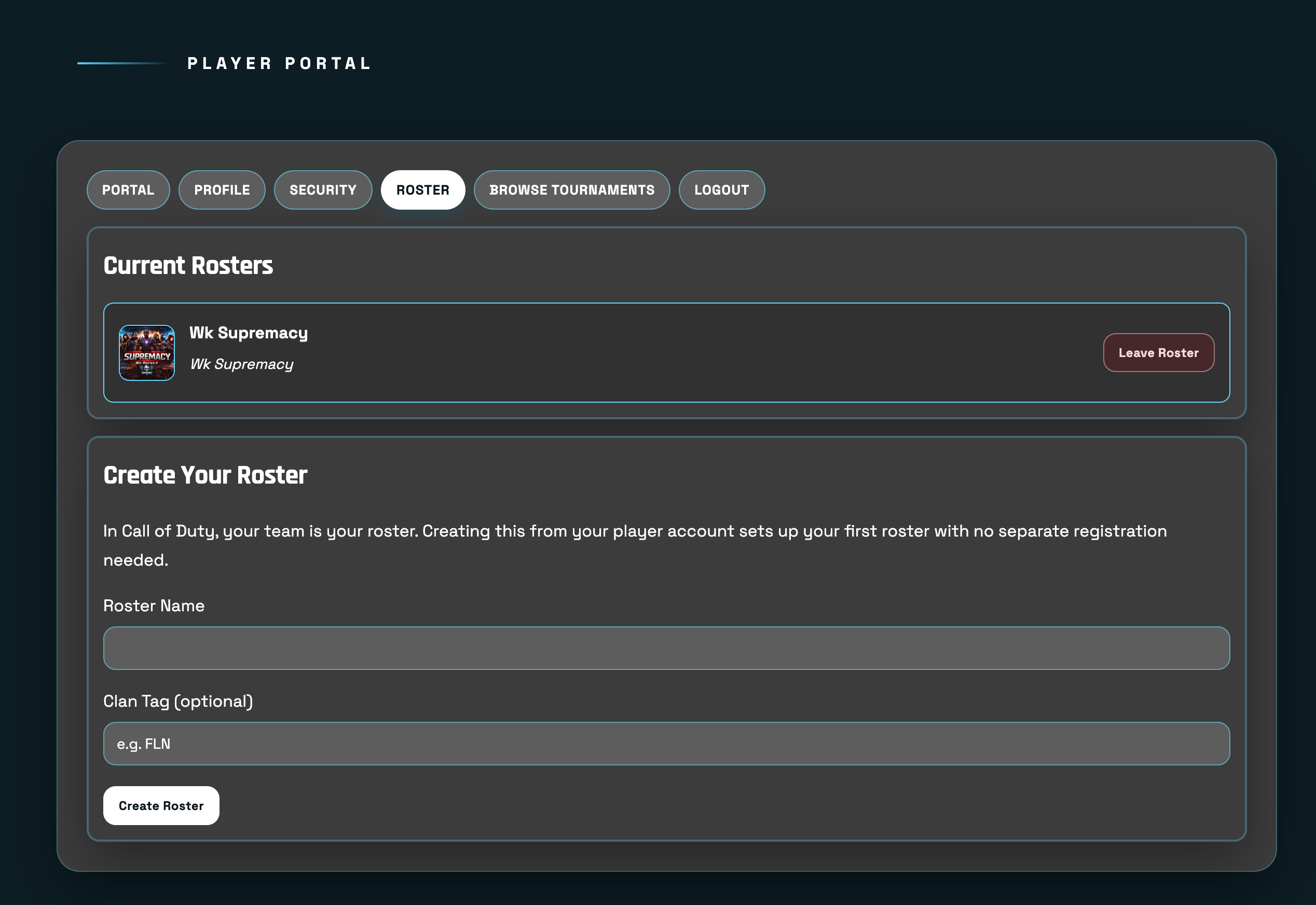
Create or Manage a Roster
Inside your player dashboard, create a roster or manage an existing one. This is where the competitive team structure begins.
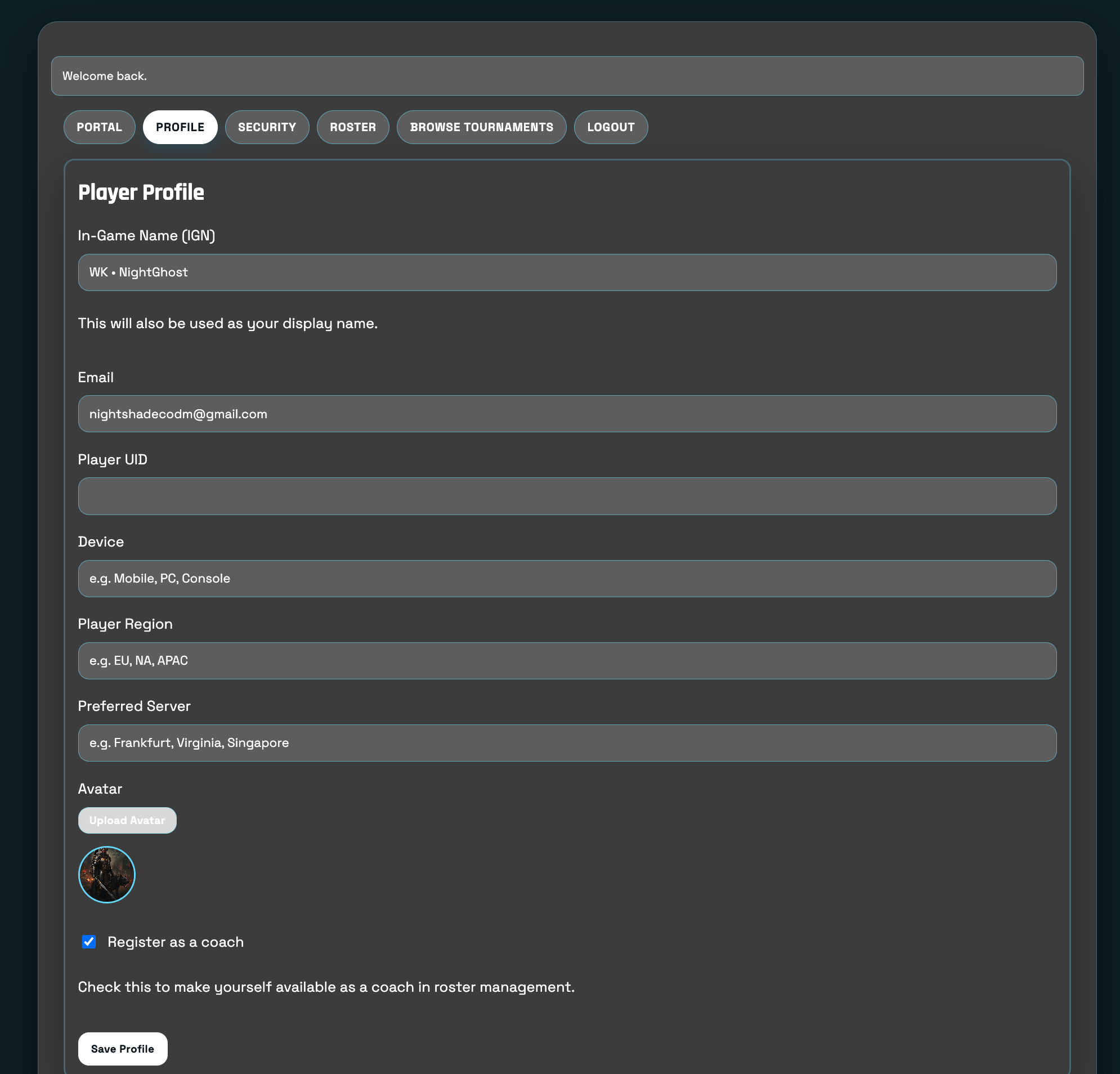
Become a Coach
If you are taking on a leadership or support role, you can become a coach and help manage training, planning, and roster growth.

Become a Partner
Partners have access to larger organisational tools and are positioned to create scrims and tournaments for the community.

Organise Scrims and Tournaments
Once approved as a partner, you can set up competitive events, manage structure, and help build a stronger COD Mobile competitive scene.

Why This Tutorial Helps
A visual walkthrough makes the platform easier to understand for new players, teams, and future partners.
Clearer User Journey
Users can immediately see where they begin and what the next step is.
Better Trust and Adoption
Real screenshots make the tutorial easier to follow and help users understand the platform faster.
Frequently Asked Questions
These answers help new users understand the structure of the platform.
Do I need to start as a player?
Yes. The player account is the starting point of the FEN ecosystem.
Can I manage my roster from my dashboard?
Yes. After logging in, you can create or manage your roster from your player dashboard.
What comes after becoming a coach?
The next step is becoming a partner, which opens scrim and tournament organisation tools.
Why use screenshots in the tutorial?
Screenshots make each step more visual, clearer, and easier to follow.
Ready to Join Frontline Esports Network?
Create your player profile and begin your journey through the FEN competitive ecosystem.